Your iPhone is a file server
LudyServer turns your iPhone into a local file server. Share files over Wi-Fi with a browser link or QR code. Mount as a network drive with WebDAV. No cloud, no cables.
iOS 17+ · iPhone & iPad · $2.99 Pro (lifetime)
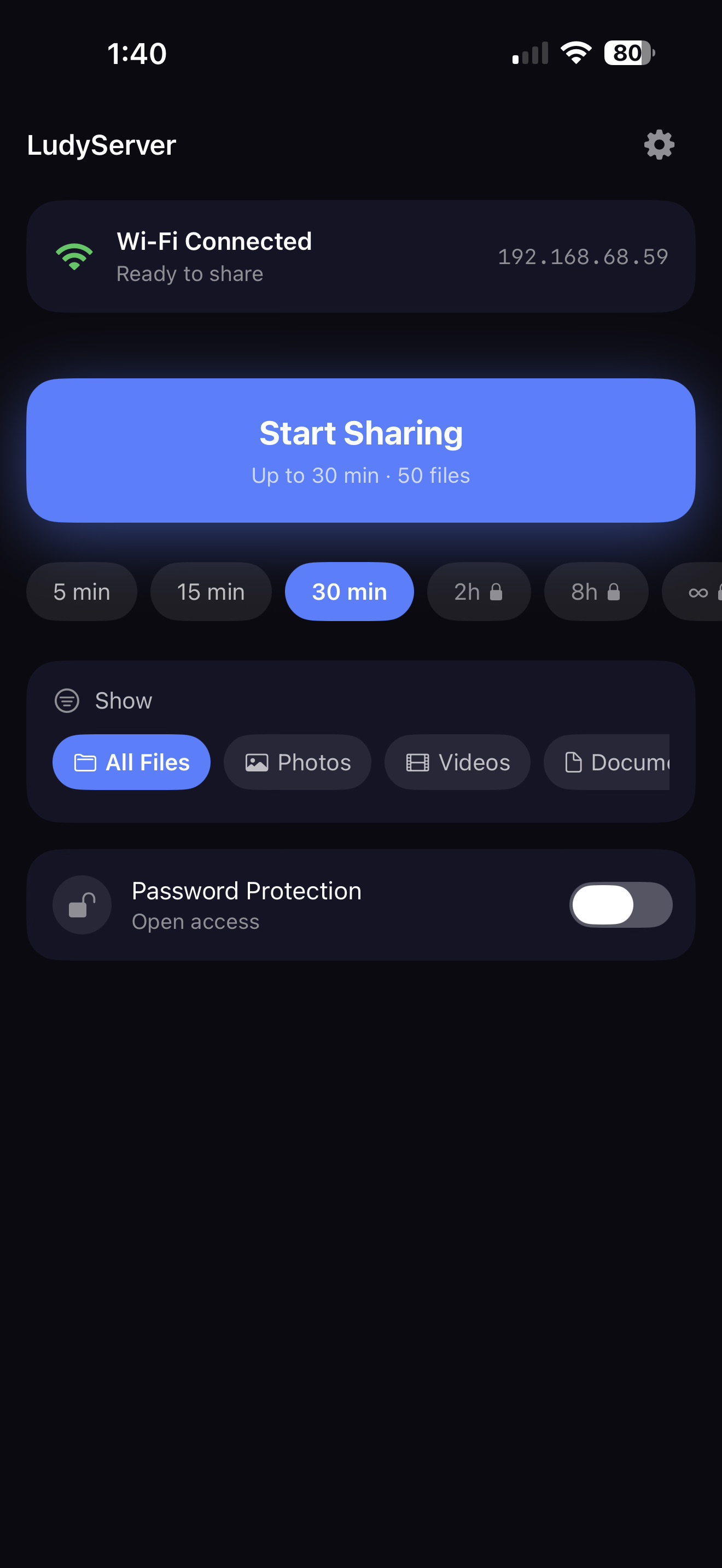
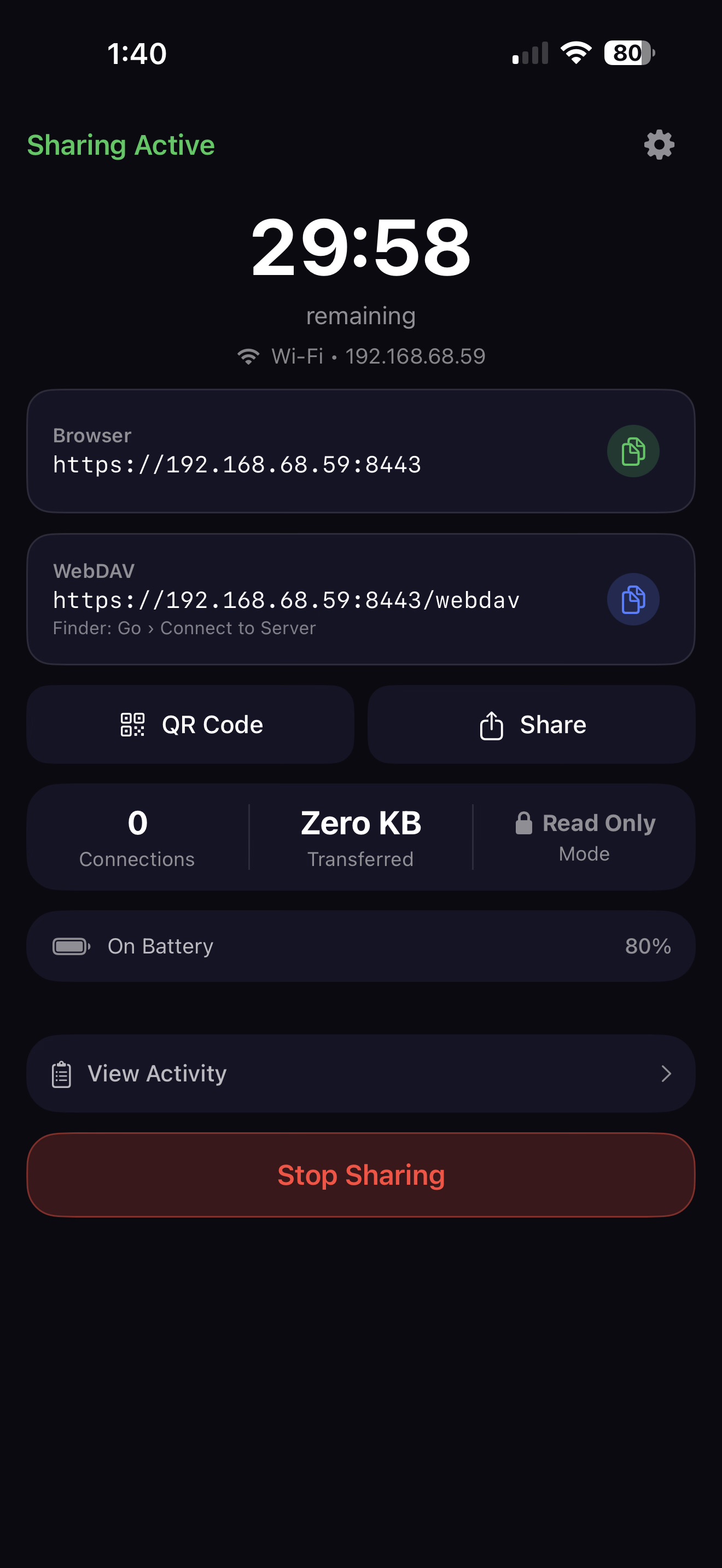
Three steps. Done.
No accounts, no setup wizards, no pairing.
Choose what to share
Select files, photos, or folders from your iPhone.
Start a session
Tap Start Sharing — pick a timer and you're live.
Connect from any device
Scan the QR code, open a browser link, or mount as a drive.
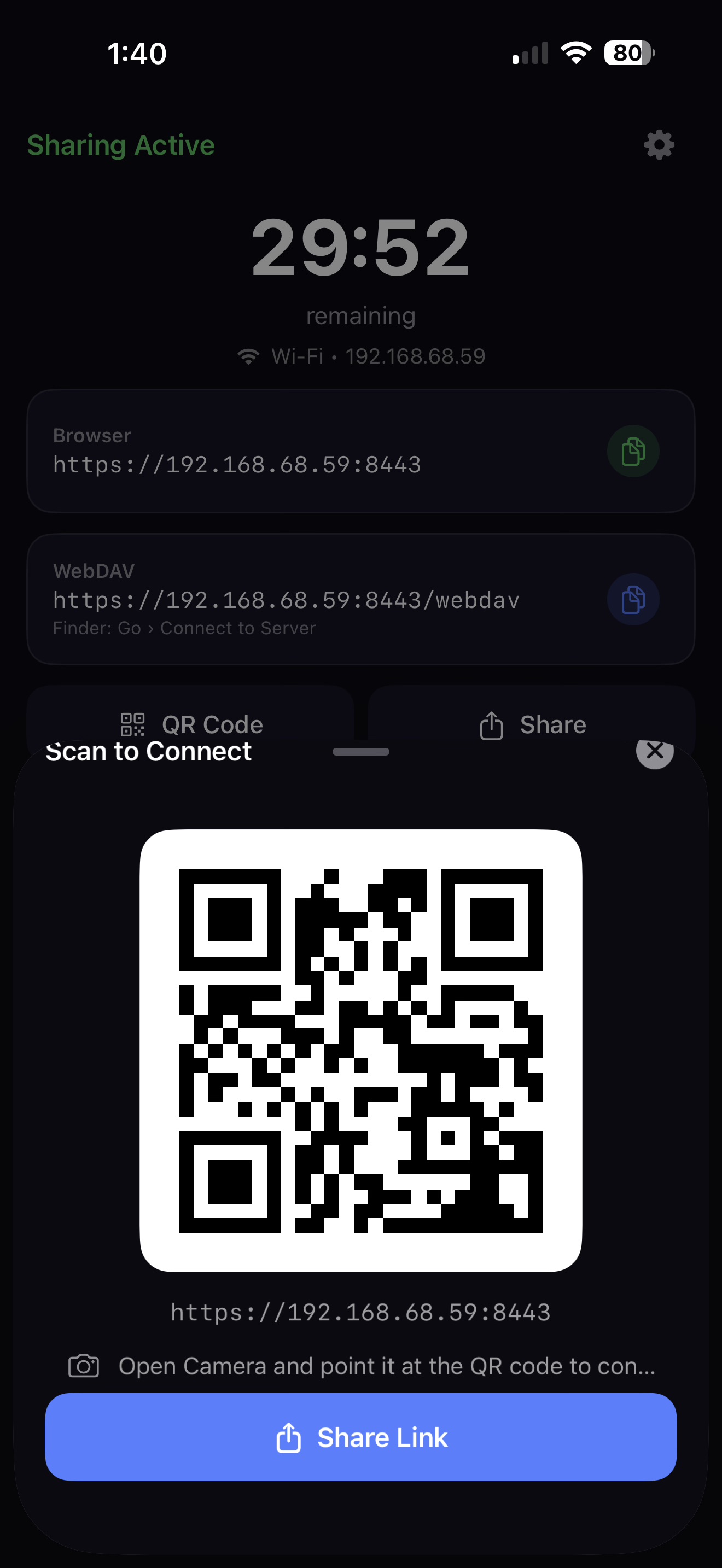
Scan. Connect. Transfer.
Show a QR code and anyone on the same Wi-Fi can access your files instantly. No app needed on their end — just a browser. Perfect for meetings, classrooms, and photo sharing.
- Browser link for laptops, QR code for phones
- WebDAV URL to mount as a network drive in Finder
- Share link button to send via Messages, Mail, or AirDrop
Your files. Your rules.
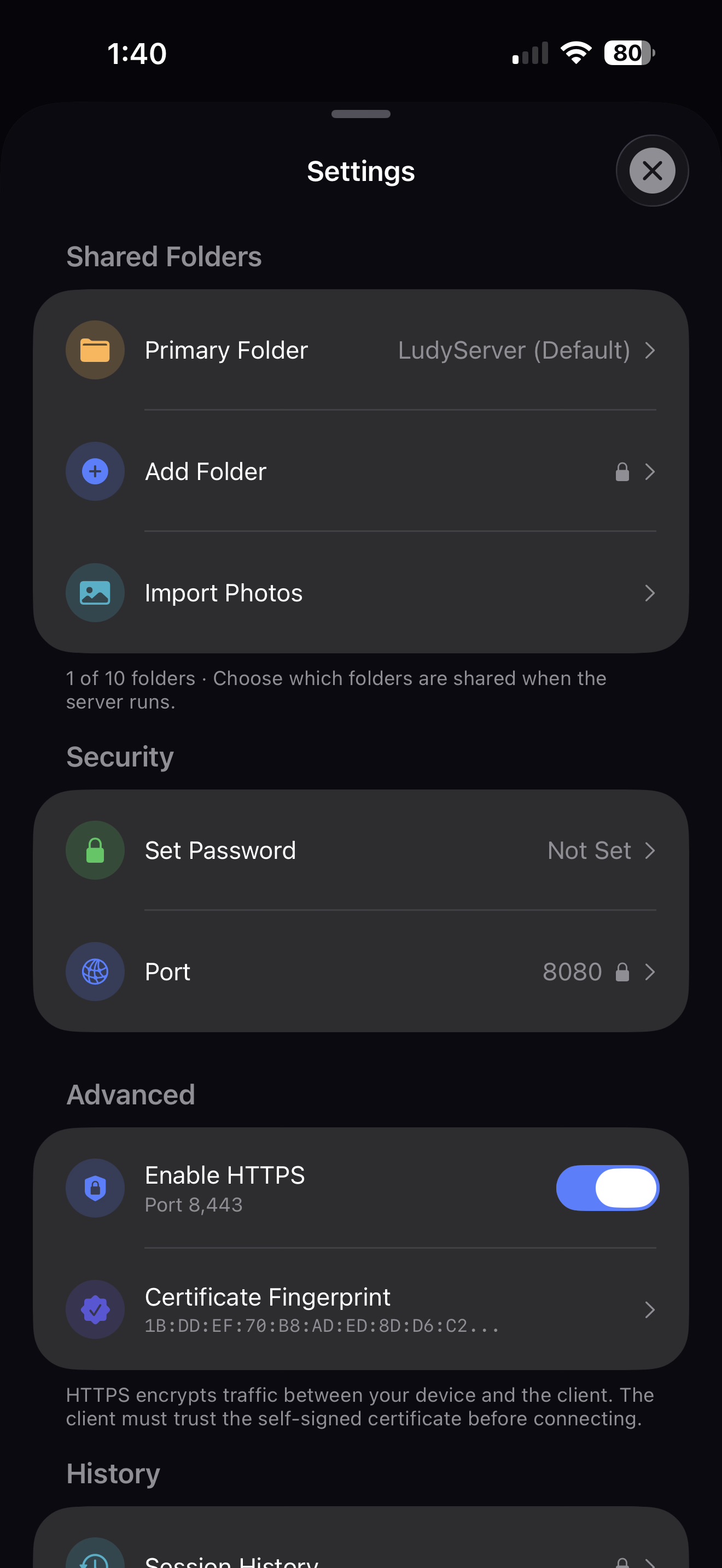
Control exactly what's shared with folder selection, password protection, HTTPS encryption, and custom port configuration. Everything stays on your local network.
- Choose which folders to share — up to 10 folders
- HTTPS with self-signed certificate for encrypted transfers
- Keychain-stored password protection
Everything included
A complete local file server in your pocket.
WebDAV Server
Mount your iPhone as a network drive in Finder, Files, or any WebDAV client.
Browser Access
Share a link — anyone on the same Wi-Fi can browse and download files from their browser.
QR Code Sharing
Show a QR code to connect instantly. No typing URLs or remembering IPs.
Session Control
Set a timer: 5, 15, 30 minutes, or go unlimited with Pro. Server stops automatically.
Password Protection
Optional password protection with secure Keychain storage. Your files, your rules.
HTTPS Encryption
Enable HTTPS with a self-signed certificate for encrypted local transfers.
Two-Way Transfers
Pro users get read-write access. Others can upload files to your iPhone too.
Activity Log
Track connections, file transfers, and data volume in real-time.
Simple pricing
Generous free tier. One upgrade. No tricks.
Free
- WebDAV + Browser access
- QR code • Password protection
- Up to 30 min sessions
- 50 files • 3 connections
Pro
- Everything in Free
- Unlimited sessions • Unlimited files
- 20 connections • Read-write access
- Custom port • Session history • CSV export
Questions
Is this a one-time purchase?
Do other devices need to install anything?
Is this safe? Can people outside my Wi-Fi access it?
What's the difference between Free and Pro?
Can I use this to transfer photos to my Mac?
Ready to share files the fast way?
Download LudyServer and turn your iPhone into a file server.